The short version
- The best phone wallpaper size is your screen's exact resolution, which you can find by taking a screenshot and checking its pixel dimensions.
- Most modern phones are much taller than 16:9, commonly around 9:19.5 to 9:20, so a 1080 by 1920 image will be cropped or zoomed.
- The lock screen clock and widgets cover the top third, notifications fill the middle, and shortcuts sit at the bottom corners.
- Some phones zoom or shift the wallpaper as you tilt or swipe, so leave extra margin around anything important.
- Soft gradients and calm fields make the best wallpapers because the phone's own interface sits on top of them.
On this page
The right phone wallpaper size is your screen's exact resolution. Most current phones have tall screens around 9:19.5 to 9:20, which at 1,080 pixels wide means roughly 2,340 to 2,400 pixels tall, but models differ, so check yours. The quickest way: take a screenshot, then look at its dimensions in your photo app's info panel. Screenshots are saved at the screen's full resolution, so that number is the size to design at.
The rest of this guide covers shapes, the zones the phone's interface covers, and how to design a wallpaper that still looks right under a clock, widgets and a grid of icons. For colour ideas, see gradient wallpaper and aesthetic backgrounds.
Phone wallpaper sizes and aspect ratios
Aspect ratio matters more than the exact pixel count. An image in the right shape scales cleanly to any screen of that shape; an image in the wrong shape gets cropped or stretched. Social story images at 1080 by 1920 (9:16) are a common mistake: they are noticeably shorter than most modern phone screens.
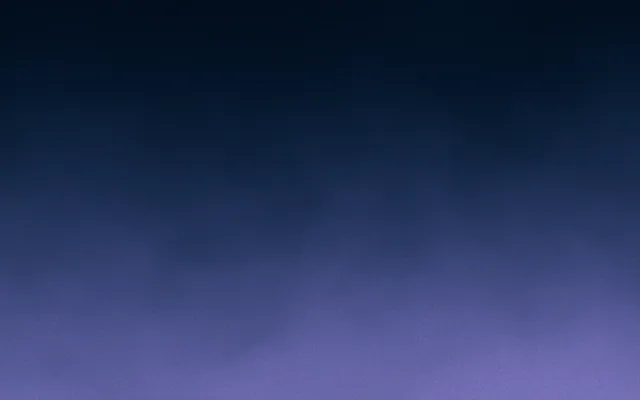
9:16 story, 1080×1920
1080 × 1920
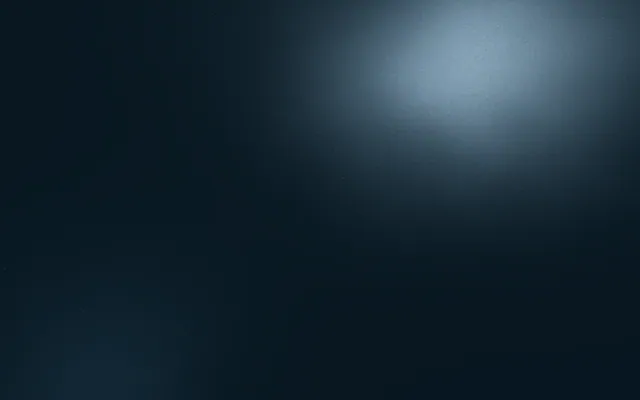
About 9:19.5
1080 × 2340
About 9:20
1080 × 2400
| Shape | At 1080 px wide | Notes |
|---|---|---|
| 9:16 | 1080 × 1920 | Story format; shorter than most current phones |
| About 9:19.5 | 1080 × 2340 | A common tall phone shape |
| About 9:20 | 1080 × 2400 | Slightly taller still |
| Your exact screen | Screenshot dimensions | The only size guaranteed to fit |
What covers your lock screen wallpaper
A lock screen wallpaper is never seen on its own. The phone draws its interface on top, and each area has a job. Plan the wallpaper so its busiest or brightest part doesn't fight with what sits there.
- Top edge: status bar with time, signal and battery. Keep it calm.
- Top third: the large clock and date, and on many phones a row of widgets. This is the most covered area.
- Middle: notifications stack here and can fill it. Busy detail makes them harder to read.
- Bottom corners and edge: shortcuts such as torch and camera, and the swipe indicator.
- Lower middle: usually the most visible open space, and a good place for the light or focal point.
Large time in the top third, as a lock screen shows it: the background stays calm behind the numbers.
Some phones let a photo's subject overlap the clock, placing the time behind a head or a mountain. That only works when the subject sits in the top third and the phone can separate it from the background. For abstract and gradient wallpapers, the simpler rule holds: keep the top third calm and even in lightness so the clock reads in white or dark.
Home screen wallpapers: icons, widgets and the dock
On the home screen, icons cover most of the display in a grid, with a dock along the bottom. Here the wallpaper should work as a quiet backdrop for dozens of small, colourful shapes. Detail at icon scale, like fine patterns or text, turns the screen into noise.
Avoid
- Detail at the same size as app icons
- Bright white or yellow areas behind white labels
- Faces or text you'll only ever see between icons
- Strong edges that line up badly with the icon grid
Do
- Soft gradients and gentle light
- Even, mid to deep tones behind icon labels
- One focal area in the open lower middle
- A darker or lighter version for each appearance mode
Parallax, zoom and scrolling crops
Phones don't always show the wallpaper exactly as you made it. Some apply a slight zoom or move the image as you tilt the phone, which trims the edges. Some Android launchers scroll the wallpaper sideways as you swipe between home screens, which shows a wider image in parts. And the phone may zoom automatically if your image isn't the screen's shape.
The fix is margin. Keep anything that must stay visible, such as a focal glow or a small detail, well inside the frame, roughly 10 percent from each edge. Gradients handle all of this gracefully, because cropping a blend just shows a little less of it. If your phone offers to turn off the zoom or motion effect, do it when you want an exact fit.
How to make a phone wallpaper that fits
- 1
Find your exact size
Take a screenshot and read its pixel dimensions. That is your canvas.
- 2
Keep the top third calm
Even lightness behind the clock and widgets, so the time reads clearly.
- 3
Place the light low
Put the glow or focal point in the lower middle, the most visible open space.
- 4
Leave margin
Keep important detail about 10 percent in from every edge to survive zoom and parallax.
- 5
Export smoothly
PNG or high-quality JPEG, with fine grain to prevent banding. See grainy gradients.
- 6
Test both screens
Check the lock screen and home screen, in light and dark appearance if your phone switches.
In Gradiently, you can set a custom size to match your screenshot exactly, anywhere from 200 to 8,000 pixels on each side, and design with any Mark as the background. For a moving version, a Mark can export as a 5 to 30 second loop for a live wallpaper.
Questions people ask
What size is a phone wallpaper?
Your screen's exact resolution. Most modern phones are around 9:19.5 to 9:20, roughly 1080 by 2340 to 2400 at 1080 pixels wide, but check yours with a screenshot.
How do I find my phone's screen resolution?
Take a screenshot and view its details in your photo app. Screenshots are saved at the screen's full resolution, so those dimensions are the wallpaper size.
Why does my wallpaper look zoomed in?
Either the image isn't the same shape as your screen, or the phone applies a zoom or motion effect. Use the exact screen shape and turn off the effect if you want a perfect fit.
Is 1080 by 1920 a good phone wallpaper size?
It is a 9:16 shape, shorter than most current phones, so it will be cropped or zoomed to fill the screen. A taller image in your phone's shape fits better.
Written by Gradiently
The team behind Gradiently, a design tool built around Marks: living gradients that make everything you design look like yours.
See our profile